Home / Banner concepts

Banner concepts

Six genuinely different directions for the home banner. Each one is a working prototype: open it, move the mouse, scroll, try it on your phone.

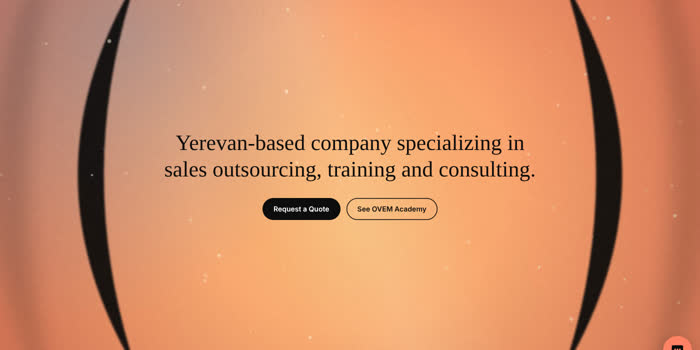
Preview of concept 1: Cinematic loop
Concept 1 · Real seamless video loop

Cinematic loop

What the visitor sees
A coral screen with slow moving light and drifting black brackets, with the headline and both buttons in the middle. It looks like the opening title of a film.
How it moves
The light and the brackets drift slowly in a 6-second loop that cannot be told apart from continuous motion. It pauses when off-screen. Nothing reacts to the cursor.
OVEM identity
The two big brackets are the main characters; the colours are the OVEM palette, with a touch of blue and yellow in the light.
Technology
Video (MP4) and a poster image; a few lines of JavaScript to pause it.
Performance, effort, upkeep
Light: 140 KB. Implementation: easy. Maintenance: to change the look, render a new clip (I can do that).
On mobile and fallback
The clip is cropped to the centre, so two CSS brackets frame the edges. Reduced motion or Data Saver shows only the still poster.
Open the live prototype
Preview of concept 2: Interactive 3D
Concept 2 · Glossy 3D brackets

Interactive 3D

What the visitor sees
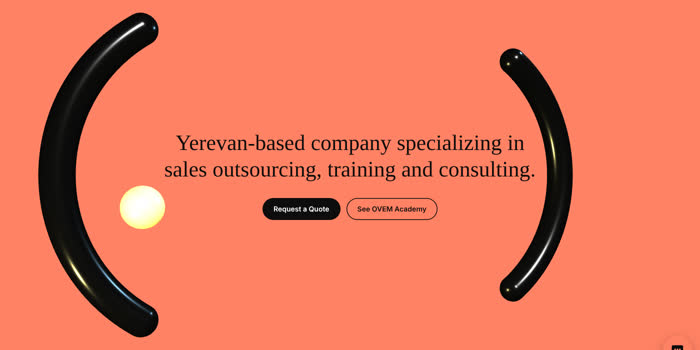
Two glossy black 3D brackets and a small yellow sphere on the coral background, with the headline between them.
How it moves
The brackets slowly turn, tilt toward the cursor, and move back as the visitor scrolls. The sphere circles through them.
OVEM identity
The brackets are the stars, rendered as real objects with reflections.
Technology
WebGL with Three.js (about 600 KB library, no model files).
Performance, effort, upkeep
Heaviest: the library plus continuous drawing. Implementation: medium. Maintenance: needs a developer when the library or the shapes change.
On mobile and fallback
Lower detail on phones. On weak devices, no WebGL, or reduced motion, the flat bracket picture is shown instead.
Open the live prototype
Preview of concept 3: Conversation arcs
Concept 3 · Animated identity in SVG

Conversation arcs

What the visitor sees
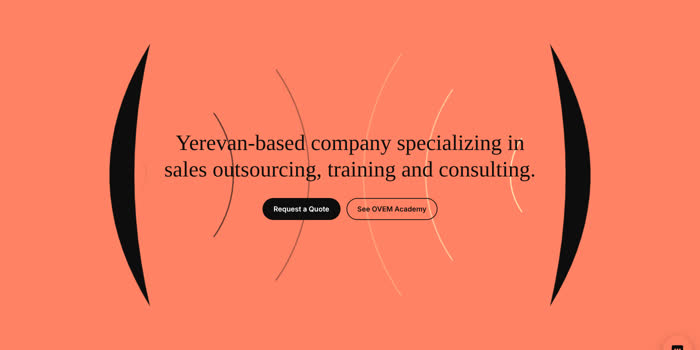
Two black brackets on coral. Thin waves leave each bracket and travel toward the other, like a conversation.
How it moves
Black waves from the left bracket, yellow waves from the right one, crossing behind the headline in a slow loop.
OVEM identity
The brackets become the two sides of a conversation: the company and the customer. It says "sales is communication" without any cliche.
Technology
SVG and CSS only.
Performance, effort, upkeep
Very light: no files. Implementation: easy. Maintenance: easy, colours and speed are a few numbers.
On mobile and fallback
The waves cross the middle and the brackets sit at the edges. Reduced motion shows a still frame.
Open the live prototype
Preview of concept 4: Liquid layers
Concept 4 · Abstract motion graphics

Liquid layers

What the visitor sees
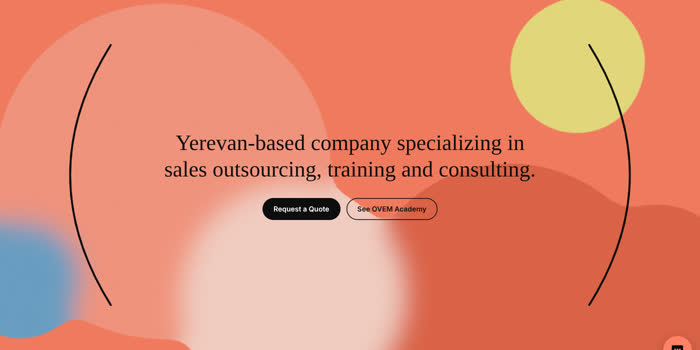
Soft coral, cream, yellow and blue shapes melting into each other, with film grain and two thin bracket lines.
How it moves
The shapes drift slowly and shift a little toward the cursor.
OVEM identity
The brand colours are the whole picture and the brackets frame it; it is less literal than the others.
Technology
SVG filters and CSS, with a tiny script for cursor movement.
Performance, effort, upkeep
Medium: the blur effect costs the graphics card some work. Implementation: easy. Maintenance: easy.
On mobile and fallback
Fewer and smaller shapes on phones. Reduced motion freezes them.
Open the live prototype
Preview of concept 5: Scroll story
Concept 5 · Interactive visual composition

Scroll story

What the visitor sees
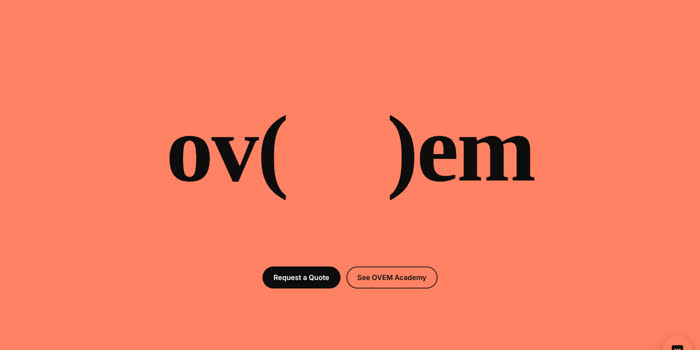
The first screen is the big "ov( )em" with the two buttons below it. Nothing else.
How it moves
As the visitor scrolls, the brackets slide to the edges, the headline opens between them and the three services appear one by one. The buttons are always visible.
OVEM identity
The wordmark itself is the animation: the brackets literally open to make room for the message.
Technology
CSS and about 20 lines of JavaScript, no library.
Performance, effort, upkeep
Light. Implementation: medium. Maintenance: easy. It adds about one extra screen of scrolling to the home page.
On mobile and fallback
Works the same on phones. Reduced motion or no JavaScript shows the finished layout without the scroll effect.
Open the live prototype
Preview of concept 6: Lead flow
Concept 6 · Our own direction: the sales process

Lead flow

What the visitor sees
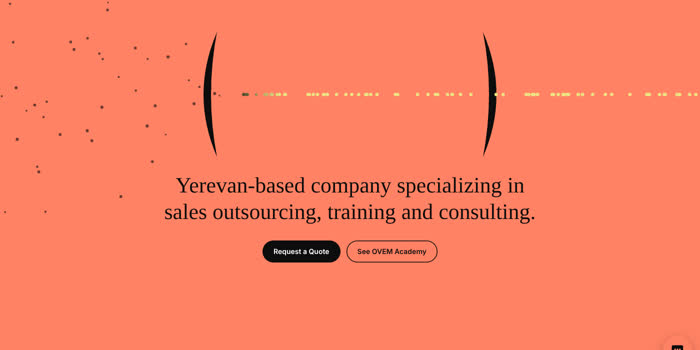
Brackets with many small dark dots drifting in from the left and a neat line of yellow dots leaving on the right, with the headline below.
How it moves
Dots are squeezed through "(", turn yellow inside, and leave through ")" in order. Dots near the cursor lean toward it. It pauses off-screen.
OVEM identity
The brackets become the place where leads turn into customers. It is the only concept that shows what OVEM does.
Technology
Canvas drawing and about 70 lines of JavaScript.
Performance, effort, upkeep
Light: no files, but continuous drawing. Implementation: medium. Maintenance: easy, the number of dots is one setting.
On mobile and fallback
About half as many dots on phones. Reduced motion shows one still frame.
Open the live prototype

Side by side

ConceptVisual impactPage weightBuild effortUpkeep
1 Cinematic loopVery highVery light (140 KB)EasyLow
2 Interactive 3DHighestHeavy (600 KB + live drawing)MediumHigher
3 Conversation arcsHighVery lightEasyLow
4 Liquid layersMedium to highMediumEasyLow
5 Scroll storyHighLightMediumLow
6 Lead flowHighLightMediumLow

My two strongest options

First choice

1 Cinematic loop

The most premium look for the least cost. It feels like a film opening, weighs 140 KB and needs no scripts to run.

  • Strength: instant first impression, safest on slow connections, easy to keep.
  • Trade-off: it is a picture in motion, so it does not react to the visitor. A new look means a new clip.
Second choice

5 Scroll story

The most memorable experience without a heavy library. The wordmark opens to reveal the message and the three services.

  • Strength: it uses the brackets as a real idea, and the buttons are always visible.
  • Trade-off: it adds one screen of scrolling, which some visitors may not like, and it needs careful testing on phones.

If the goal is the biggest possible wow, concept 2 (Interactive 3D) is the boldest, but it costs the most in loading speed and upkeep. If you want the idea of what OVEM does shown in one picture, concept 6 (Lead flow) is the most original. Tell me the number you choose, or a combination such as "1 on first visit, 5 after". I will build it into the Astro project only after you decide.